Muslim Daily
Qibla finder

Find the Qibla in seconds, anywhere.

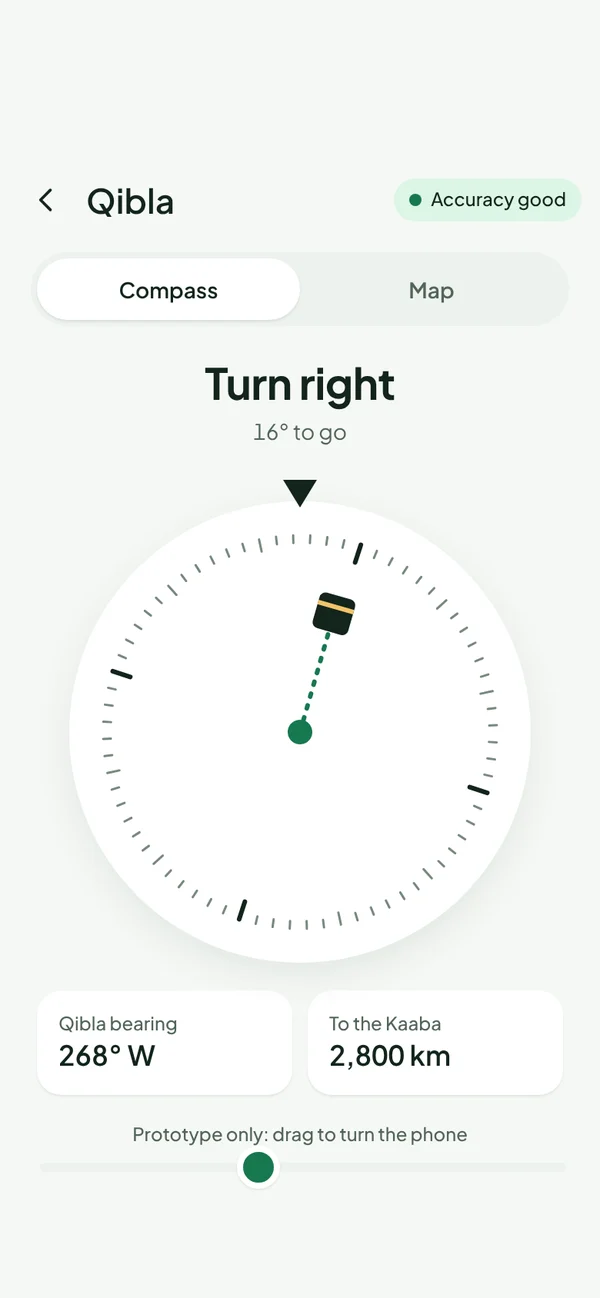
Hold your phone flat and turn until the needle meets the Kaaba. Muslim Daily shows the Qibla direction from where you are, with the bearing and the distance to Makkah.

Coming soon toApp StoreComing soon toGoogle PlayComing soon toMac App Store

Coming early 2027 to iPhone, Android and Mac.

The Qibla compass telling you to turn right, with the bearing and distance to the Kaaba.

A compass that points to the Kaaba

The Qibla finder uses your phone’s compass and the city you chose to point you towards the Kaaba. It tells you which way to turn until you’re facing the Qibla.

  • Qibla bearing in degrees from north
  • Distance to the Kaaba
  • A map view to check against nearby streets
  • Works offline, no internet needed

Tips for an accurate Qibla

Phone compasses can be pulled off by metal, magnets and electronics. Hold the phone flat, away from laptops, cars and phone cases with magnets. If the app asks, move the phone in a figure of eight to calibrate the compass.

Questions

How does the Qibla finder work?

It works out the direction from your city to the Kaaba in Makkah, then uses your phone’s compass to show which way that is.

Does the Qibla compass work offline?

Yes. The direction is calculated on your phone, so it works without the internet.

Why does my compass seem wrong?

Metal, magnets and electronics nearby can disturb a phone compass. Move away from them, hold the phone flat and calibrate by moving it in a figure of eight.

Your day, built around salah.

Prayer times, Qibla, Quran, duas and a salah tracker in one calm app. No ads, no tracking.

Coming soon toApp StoreComing soon toGoogle PlayComing soon toMac App Store